LighterPack Review 2026: A Better Alternative Exists
LighterPack is one of the most loved free tools in the outdoor world. Ask any thru-hiker or ultralight backpacker what they use to build a gear list and there is a good chance the answer is LighterPack.
Built in 2013 by Galen Maly and a small group of contributors, it has been the default gear list tool for serious hikers for over a decade.
The problem is that development slowed significantly around 2019. The tool works, but it has not kept up with how people use software now. No mobile app. No real gear library. And a few things that are simply broken and have stayed that way for years.
This is our honest take on where LighterPack still earns its place, where it frustrates us, and what we built at Trailkeep to fill the gaps.
The short version: LighterPack is still the right tool for a quick, standalone gear list. But if you plan multiple trips a year, use your phone on the trail, or want your gear to carry over between lists, you will hit its limits. Trailkeep is a free alternative that picks up where LighterPack left off.
| Feature | LighterPack | Trailkeep |
|---|---|---|
| Free to use | ✅ | ✅ |
| Mobile app | ❌ | ✅ PWA + native (iOS & Android) |
| Persistent gear library | ❌ | ✅ Gear Vault |
| Checklist mode | ❌ | ✅ |
| Pie + bar charts | Pie only | ✅ Both |
| Shared list is copyable | View only | ✅ Clone list or copy individual items |
| Import from LighterPack | CSV export required | ✅ Paste share URL or CSV |
| Trip planning | ❌ | ✅ Optional |
What LighterPack is and what it does well
The appeal of LighterPack is its simplicity. It does one thing: tracks your gear weight. And it does it without getting in your way.
You do not need an account to start. Open the site, start typing, and your list saves to your browser. We would still recommend creating the free account. It takes thirty seconds and means your lists do not vanish if you switch computers.
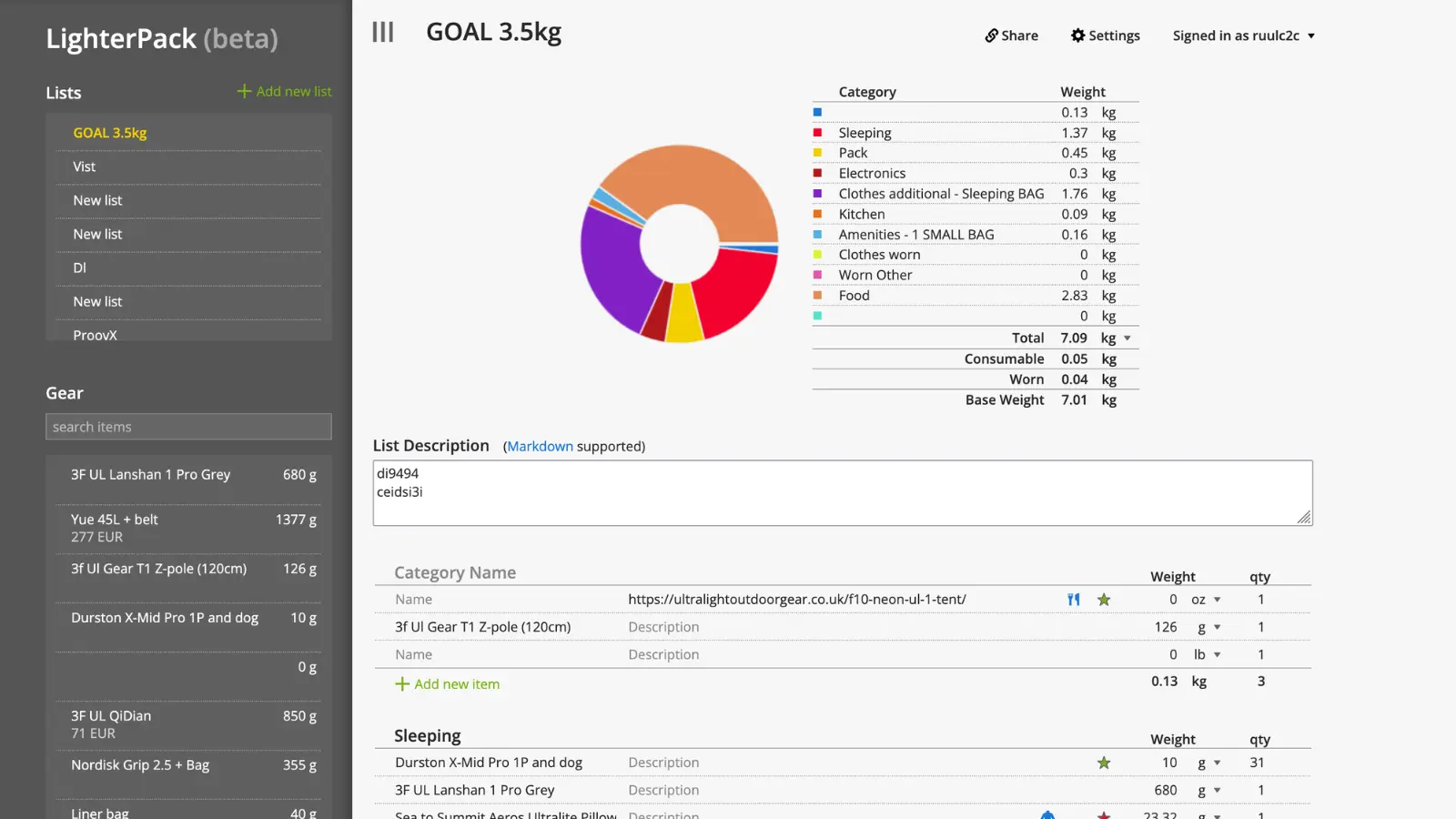
Building a list feels like working in a spreadsheet. You name the categories yourself (shelter, sleep system, kitchen, whatever works for you) and fill them in. Weights are summed in real time as you type. Every row can be dragged to reorder.
Before you start adding items, check the settings first. You can toggle:
- Item images on or off
- Prices per item
- Worn and consumable flags (for an exact base weight)
- A list description for context
- A currency symbol (just a text label, no conversion)
Each item has a name, a notes field, worn and consumable toggles, a product link, and a star for highlighting items of interest. Get your kitchen scale out, enter the weights, and the pie chart builds itself.
When done, share a link, export a CSV, or duplicate the list to tweak it for a different season. You can also import a CSV when starting a new list. The shared URL is short and clean, recognised across Reddit, forums, and YouTube.
Where LighterPack falls short
It is not all sunshine and rainbows. LighterPack starts to frustrate you when you fall into one of these camps:
You plan more than one or two trips a year. There is no gear library. The workaround is to build a baseline list and duplicate it for each new trip, then swap out what changes. It works, but it is exactly that: a workaround. You end up maintaining multiple slightly-out-of-sync copies of the same kit.
You want to use your phone. LighterPack is web-only and the mobile experience is not great. The layout breaks on smaller screens and there is no offline mode. If you are sitting in your tent thinking about what to swap out for the next trip, you cannot jot it down in LighterPack. No signal means no access.
You want to check off items as you pack. LighterPack tells you what should be in your bag by weight. It does not help you verify what actually made it in. No checklist mode, no way to tick items off on packing day.
You are a creator sharing your lists as content. If you link your LighterPack in a YouTube description or trail blog, you have no idea how many people opened it, whether anyone copied it, or which items got interest. You get a link and nothing else.
One more thing: direct image uploads have been broken since at least 2024. You can link to an image URL, but uploading directly to LighterPack does not work and has not been fixed.
What Trailkeep does differently
We built Trailkeep to solve these frustrations. It covers the same core use case as LighterPack: building, weighing, and sharing gear lists. But optionally, your list can be part of a full trip plan: where you are going, when you are back, who knows about it. Useful if something goes wrong out there.
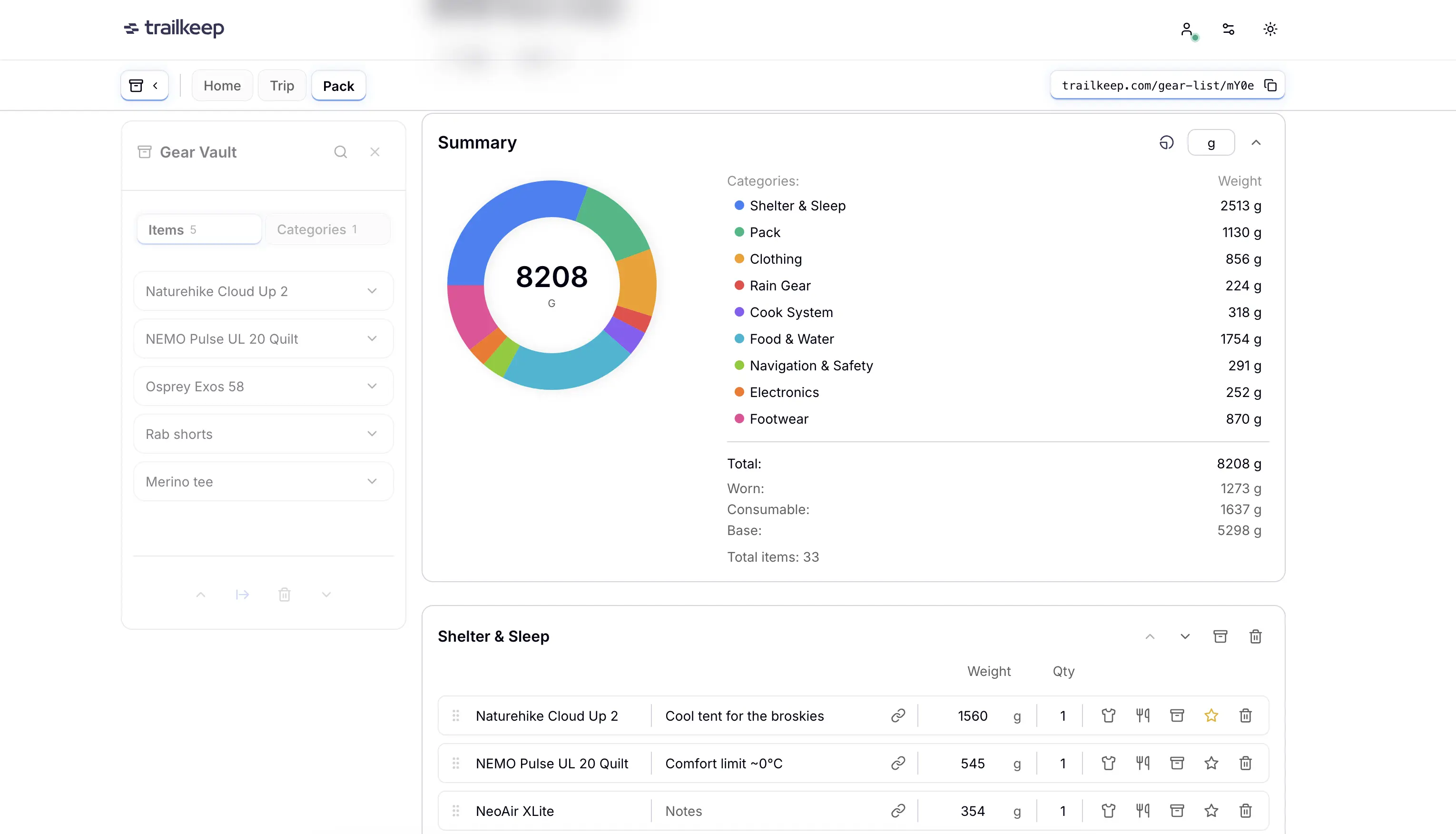
Gear Vault. The biggest difference. The Vault is a persistent library of your gear that lives separately from any individual list. Add your tent once, pull it into any future list with one click. It brings its weight, notes, and product link with it. Update the price in the Vault once and every list that references that item updates automatically.
Checklist mode. Switch any list to checklist mode before you pack and tick off items as they go in the bag. Small, genuinely useful on packing day.
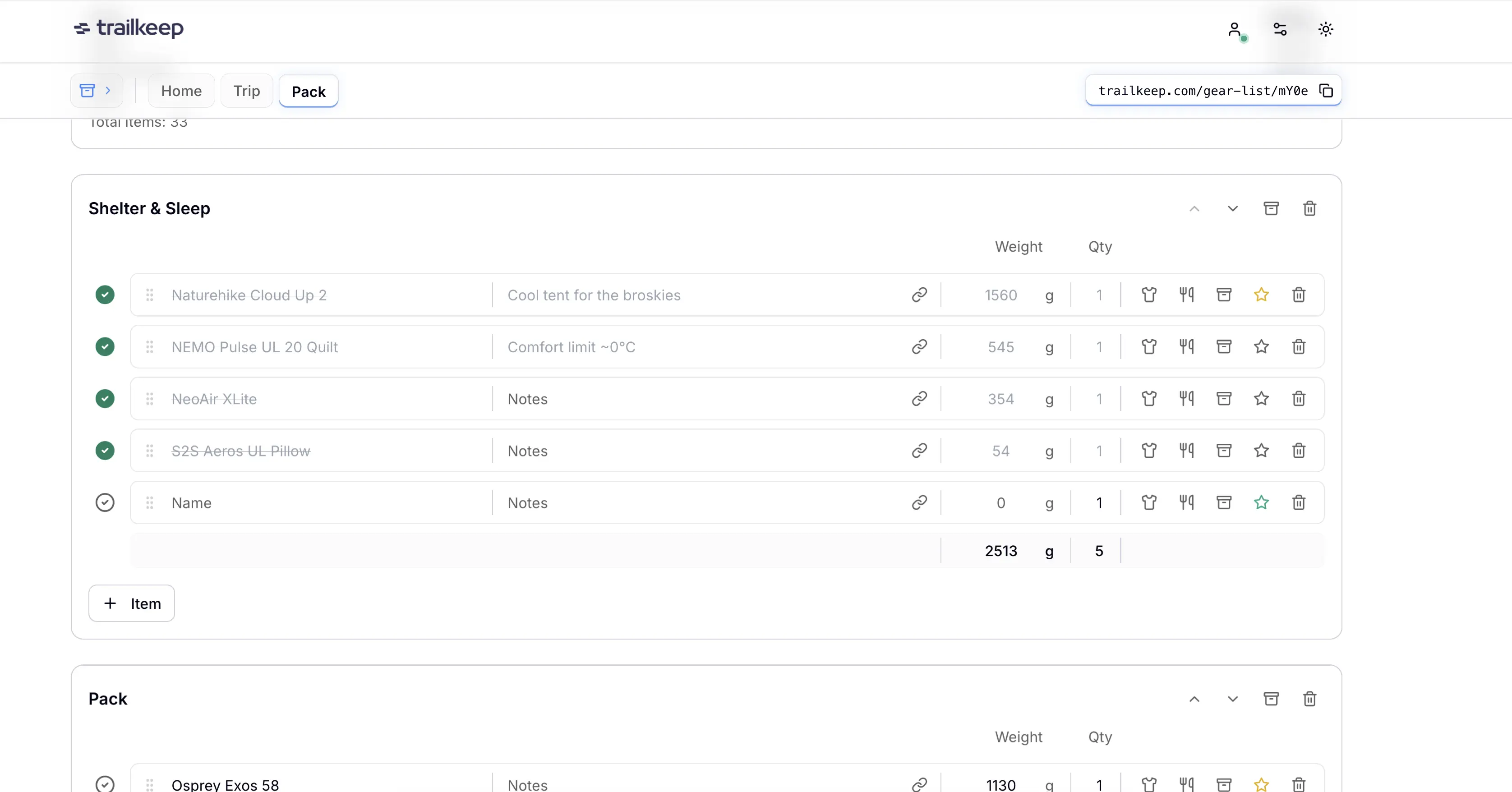
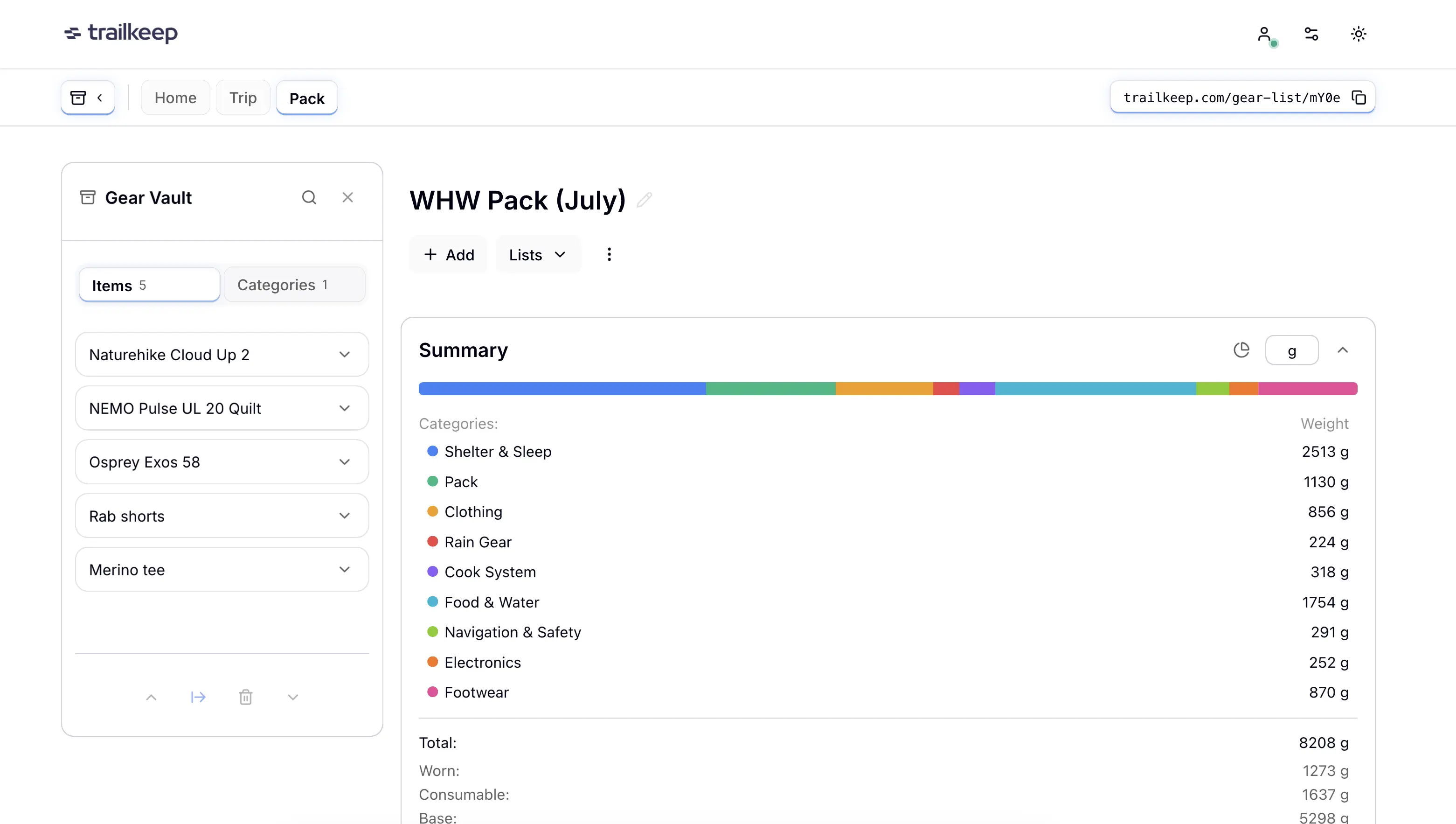
Two chart types. LighterPack has a pie chart. Trailkeep has a pie chart and a bar chart, with your preference saved per list. The bar chart is particularly useful on mobile where a pie chart takes up a lot of vertical space.
Shared lists that can actually be used. A LighterPack shared link is read-only. In Trailkeep, a viewer can clone the whole list to their own account in one click, or copy individual items straight into their Gear Vault. Useful when someone wants just your shelter setup, not your whole kit.
Mobile-optimised, works without signal. Trailkeep runs in your mobile browser with offline support. Trips and gear lists load from cache without a connection; trip edits queue for sync, gear is view-only offline. Native iOS and Android apps are available. The app is built to stay lean and load fast, which matters when you are on a weak connection or trying to save battery in the field.
Optional trip plan. Trailkeep lets you attach a gear list to a full trip plan in the Trip Planner — route, days, waypoints, and a shared link for your emergency contacts. You can also tap Go on the Start tab to arm return-by monitoring with an optional GPX route line, without building that itinerary first. The gear list stays a gear list. The trip context is just there if you need it.
If you share your gear as content
A lot of outdoor creators already link their LighterPack in YouTube descriptions, trail blogs, and Reddit posts. Trailkeep adds a few things LighterPack cannot:
- See how your shared link performs: views, list clones, individual item copies, all tracked per link
- Give your audience a full trip to explore, not just a weight table
- Get a permanent free Pro account through the creator programme, with no minimum follower count
Free Pro for creators.
No minimum follower count. Share real trips, get the tools.
Should you switch?
Stick with LighterPack if:
- You want no account and zero friction
- Your community shares LighterPack links and you want to stay compatible
Try Trailkeep if:
- You plan multiple trips a year and want one gear library instead of ten slightly different copies
- You also use your phone for outdoor planning
- You want to check off items as you pack
- You share your lists as content and want to know if anyone is actually reading them
- You want your gear list to connect to a bigger trip plan
Both are free to start. If you are already on LighterPack, you can import any list in seconds: open the user menu in Trailkeep, expand Import, choose LighterPack URL, paste the share link, and you're done. No CSV export needed.
Ready when you are.
Free account. Import any LighterPack list by pasting a URL. No card required.
Frequently asked questions
Is LighterPack free? Yes. Completely free, no paid tier, no limits on lists.
Does LighterPack have a mobile app? No. Web-only, no iOS or Android app, no offline access.
Can I import my LighterPack lists into Trailkeep? Yes — two ways. Fastest: open the user menu → expand Import → LighterPack URL, paste your share link, done. Or export a CSV from LighterPack and use Import → CSV file. Star colors, affiliate URLs, worn and consumable flags are all imported.
Is Trailkeep free? Yes. A free account includes 6 trips (up to 3 days each) and 10 gear lists. Pro is $5.99 per month or $39.99 per year for unlimited planning.
What is the Gear Vault? A persistent library of your gear that lives across all your lists. Add an item once, pull it into any list with one click. Update it in the Vault and every list using it updates automatically.
Does Trailkeep work offline? Yes. Trailkeep is mobile-optimised and supports offline access in your browser. Trips and gear load from cache; trip edits queue for sync, gear is view-only offline. Native iOS and Android apps are available.