Solo Hiker Safety: The Safety QR System
Most solo hikers who plan properly send their itinerary to someone close. A partner, a parent, a friend. Trailhead, route, expected return, the lot. Before you leave, they have a link or a message that says: here is where I am going, and here is when to worry.
That is the right starting point. The question is what happens when that is not enough:
- No one to send it to. You still want to hike, but you do not have a partner or friend you would text before every trip.
- Your people are far away. Your contact is in another time zone, asleep while you are on the trail, or too far to call local rangers if something goes wrong.
- You want someone nearby. You have a solid emergency contact, but you also want a ranger, a fellow hiker, or someone at the trailhead to know you are out there.
Trailkeep's Safety QR is for that gap.
Leave a marker
Hikers have always left markers: a cairn, a line to a tree, something fixed at a known point. Safety QR works the same way, except the marker is for whoever is near you, not for you to find your way back.
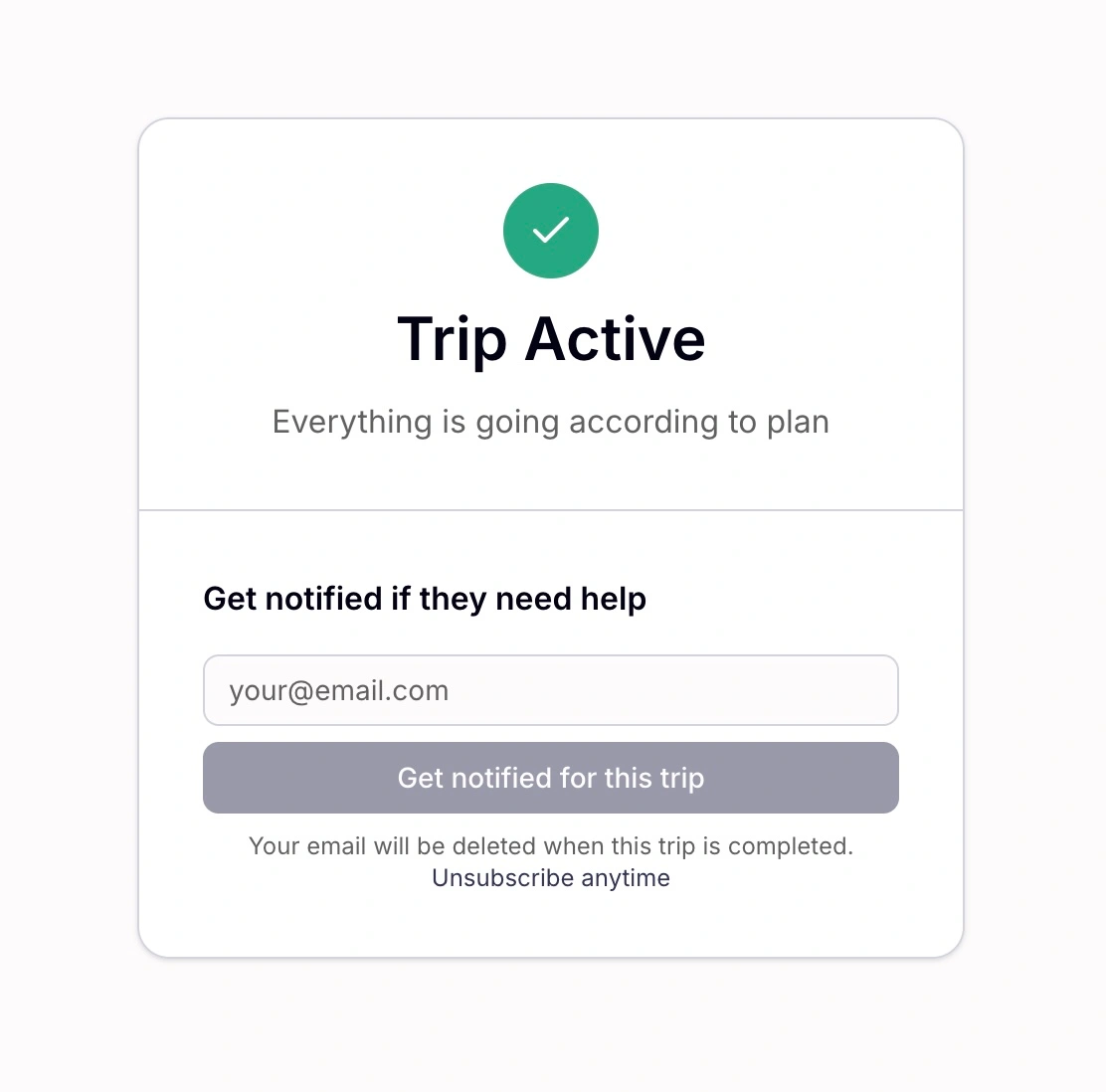
Anyone who scans sees only your status while you are fine. No route, no personal details. They can subscribe if they want to, but they only get an email if you go overdue. If your safety timer fires, the same scan opens your full trip plan.
The short version: One permanent QR tied to your account. While your trip is active, scans show Trip Active and nothing personal. When your timer fires, the same scan opens your full shared trip plan. Emergency contacts still get alerted automatically. The QR adds a nearby layer for everyone else.
Why Safety QR exists
Sending your plan to someone you trust covers home base. Our safety timer covers the deadline, so your contact does not have to remember when to worry. Safety QR covers the ground: rangers, lot patrol, fellow hikers, trail angels. People who are actually near you, but not on your email thread.
The other problem is privacy. Search and rescue needs your full plan when you are overdue. You do not want the whole trailhead reading your route while you are fine.
Most setups cover someone at home. Safety QR sits in the gap between your close ones and whoever is actually nearby:
| Approach | Who it reaches | The trade-off |
|---|---|---|
| Itinerary to your contact | Someone at home | Nobody on the ground has your plan |
| Windshield note | Anyone at your car | Your full route is visible to everyone in the lot |
| Live GPS (Strava Beacon, etc.) | 1–2 trusted contacts | Strangers at the trailhead cannot use it |
| Full trip link to someone you just met | That one person | Full itinerary upfront; a lot to ask of a trail acquaintance |
| Trailkeep Safety QR | Rangers, fellow hikers, your dashboard, anyone who scans | Status only while you are fine; full plan unlocks if you go overdue |
What a Safety QR is
One permanent code linked to your Trailkeep account. Open Account settings → Emergency → QR and it is there. The token never changes.
- Print card opens a ready-to-print A5 card.
- Download QR saves
trailkeep-safety-qr.pngto send by text or AirDrop. - Full screen in the app lets someone scan directly from your phone.
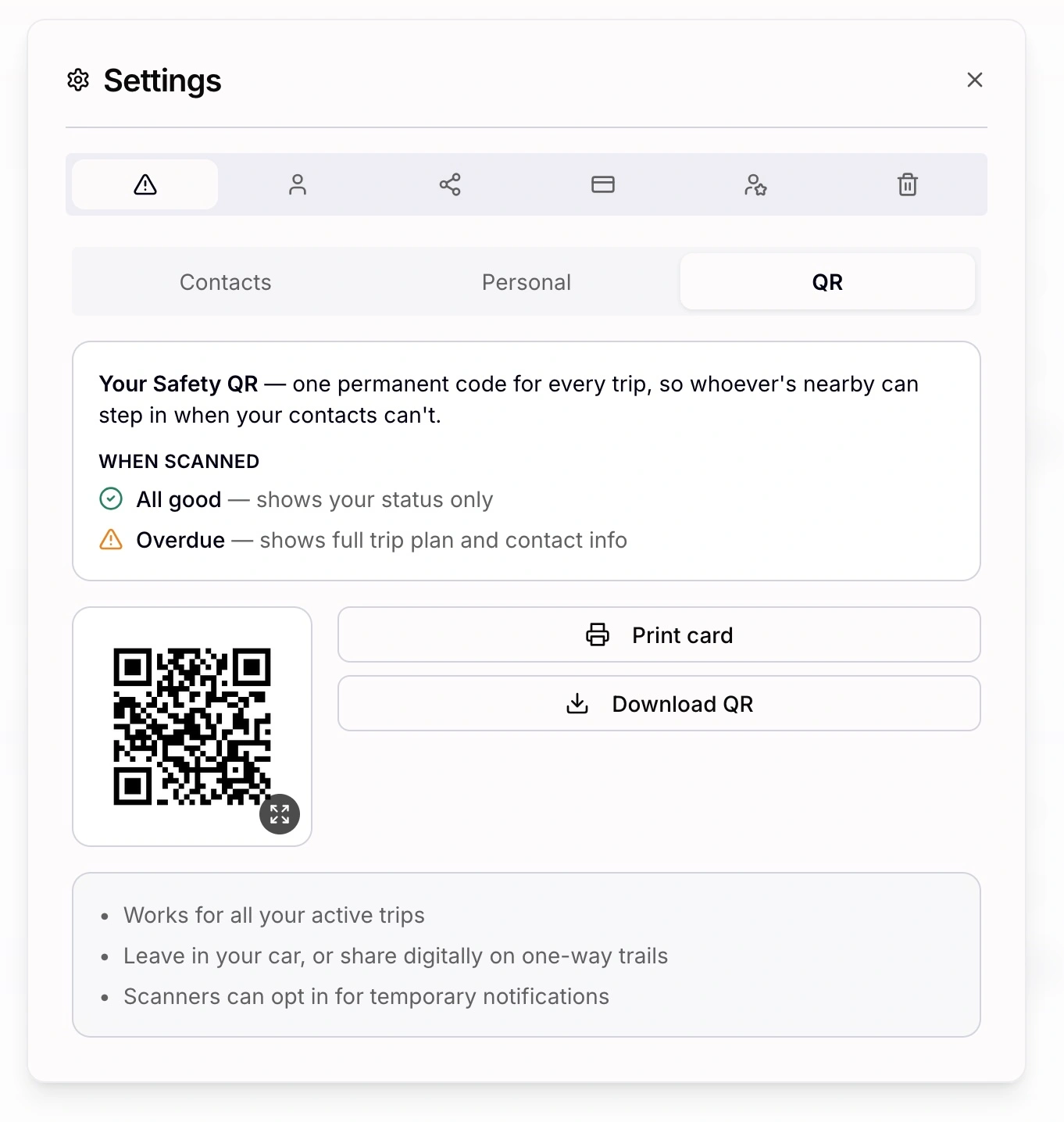
You need an active trip. That's it. Between trips, scans show No Active Trip. Not a replacement for an emergency contact. An additional channel for people near you.
What scanners see
Every scan hits the same URL. What someone sees depends on your trip status, not on who they are:
- No active trip. Grey check. This person is not currently on a trip.
- Trip active. Green Trip Active. No route, dates, or personal details. They can subscribe for one alert if you go overdue.
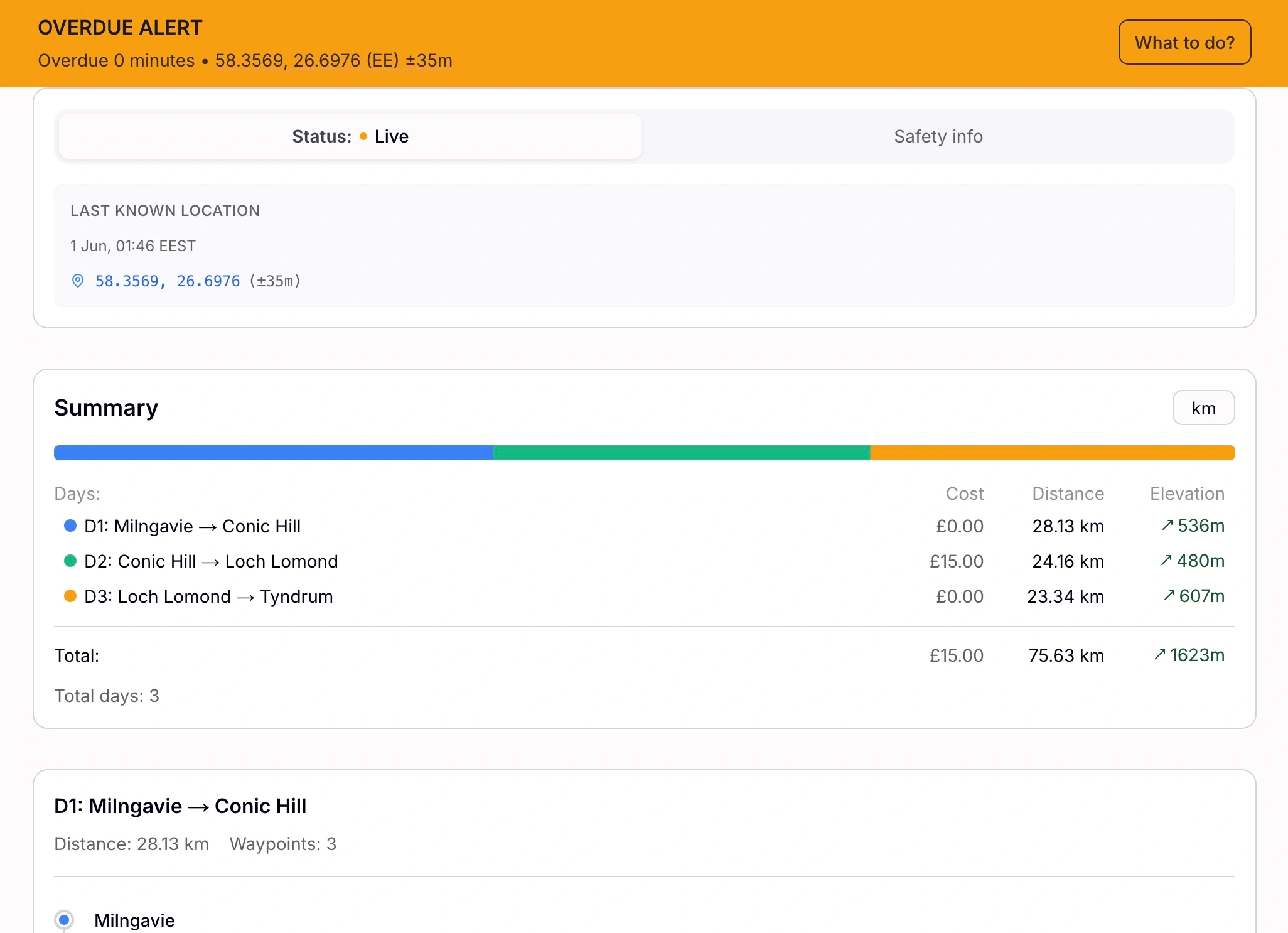
- Overdue. Redirect to your full shared trip: itinerary, GPX route (if you attached one at quick start or in the Planner), last GPS, gear list, contacts.
- Invalid link. Red error. Nothing else exposed.
How to use it
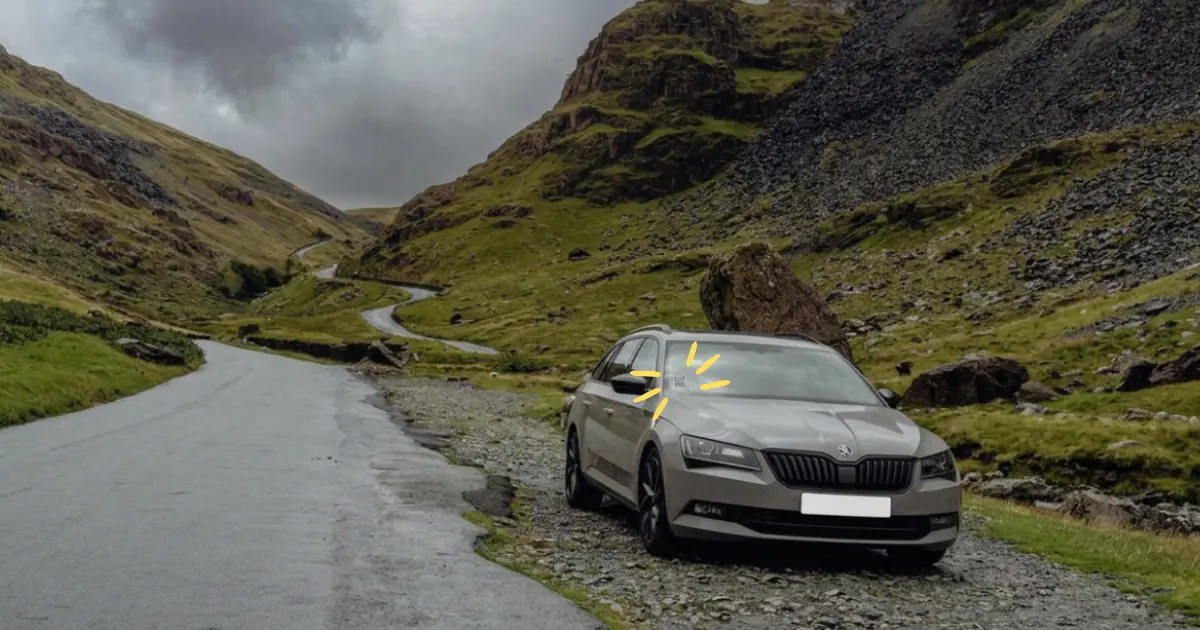
Leave it on your car. Print the card at home, leave it on the dashboard at the trailhead. A ranger on lot patrol, a fellow hiker who notices your car still there, or local services if someone raises the alarm.
Let someone scan your phone. Someone you meet on trail offers to check on you? Open the QR full screen and let them scan from your screen.
Send it ahead. Download the PNG and text or AirDrop it before you go: a trail angel at the start of a thru-hike, someone in town while you day-hike from base camp, anyone holding the home front when your car is not coming back.
Your emergency contacts do not need the QR. They get the automatic email when your timer fires. The QR is for the people your email cannot reach.
Setup and limits
Safety QR works with our safety timer, not instead of it. The timer runs on Trailkeep's servers, not your phone: if you do not check in by your deadline, your emergency contacts receive an automatic alert with your trip details.
Between trips, scans show No Active Trip. The person scanning needs cell data to load the page.
Setup takes about five minutes:
- Create an account. Add an emergency contact if you have one.
- Open Account settings → Emergency → QR and print or download.
- Deploy it using one of the three methods above.
- Tap Go on the Start tab when you depart.
- Finish the trip when you're done.
Print card layout and scanner states are in the Safety QR docs.
| Situation | Worth it? |
|---|---|
| Solo day hike, car at trailhead | Yes |
| Contact overseas or in another time zone | Yes |
| Thru-hike, no return to your car | Yes |
| No one you would ask to be a contact | Yes |
| No active trip | No |
Frequently asked questions
Do I need an emergency contact? Strongly recommended when you have someone who will act on an alert. The QR is separate: it puts your status where nearby people can reach it.
Does the QR change every trip? No. One code, permanent. It always reflects whatever trip you currently have active.
Can I share it without printing? Yes. Full screen on your phone for in-person scans, or send the PNG ahead by text or AirDrop.
How does this relate to the Safety Timer? Return-by monitoring and the optional Check-in Timer trigger the overdue state and alert your contacts. The QR is how strangers nearby access your status, and your full plan once overdue. See How to Use a Safety Timer Before Your Next Solo Hike.
Is Trailkeep free to start? Yes. Create an account, set up a trip, open your Safety QR, and you are ready to go.