
Is Garmin inReach Worth It? Or Is Your Phone Enough?
For years the answer to "should I get a satellite communicator?" was simple. If you go somewhere remote, get a Garmin inReach. If you mostly hike trails with occasional signal, probably not.
That calculus has changed. Most iPhones now have satellite messaging built in. Android users with the right carrier plan can send messages via satellite without any extra hardware. No separate device needed. A whole new category of safety software has emerged.
So the question is more interesting now: what exactly does an inReach give you, what does your phone already cover, and what is the gap that neither hardware option has ever properly solved?
The short version: inReach is still the right tool for genuinely remote expeditions. For most trails, your phone now covers the SOS button. The gap nobody talks about: if you can't press that button and don't come back, no device automatically alerts anyone. Organising that off-grid has always been unreliable.
What Garmin inReach genuinely does well
Let's start with an honest case for the hardware, because it earns its reputation.
Iridium satellite network. inReach runs on Iridium, which has a small but meaningful advantage over the networks phones use: true polar coverage and no dependency on ground gateways. In practice this matters at very high latitudes, on open ocean crossings, or in remote terrain well outside populated regions.
Significantly longer battery life than a phone. Exact figures depend heavily on how often you track and which features you use, but the inReach will outlast your phone by a meaningful margin on most trips. That matters on thru-hikes where charging opportunities are scarce, and in cold weather where phone batteries drain fast.
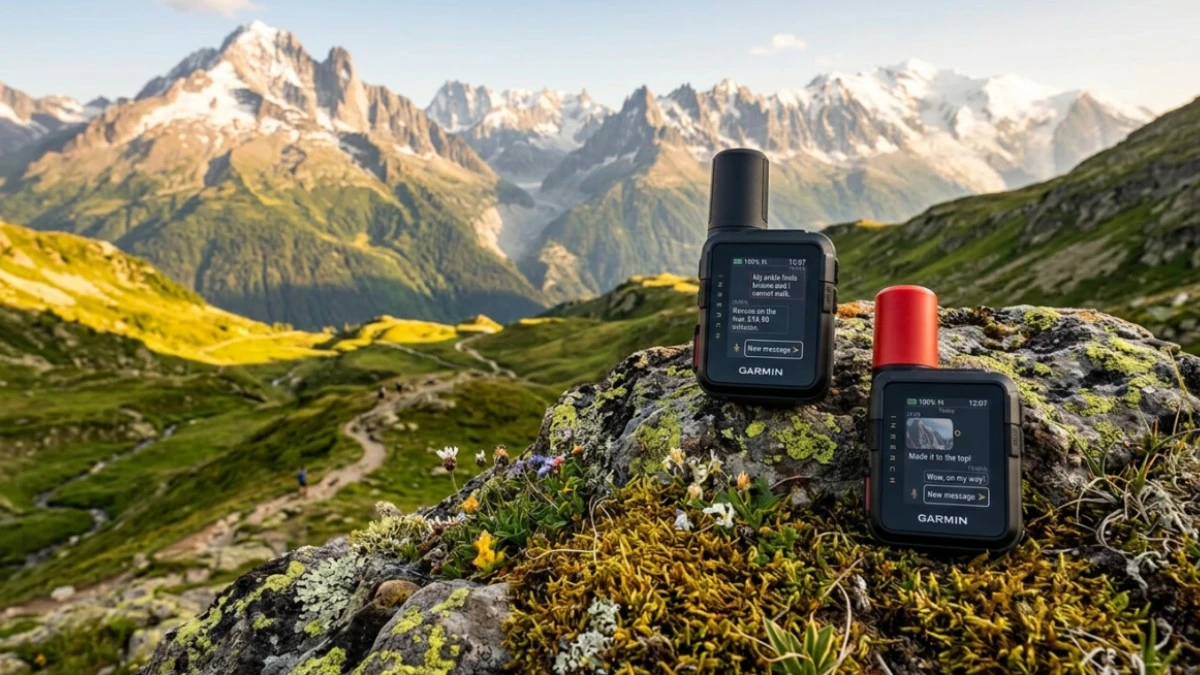
Dedicated hardware SOS button. One button. Press and hold. It connects directly to GEOS, a professional 24/7 monitoring centre. Your phone does not need to be working. You do not need signal. You just hold the button. For expeditions where a broken or dead phone is a real scenario, this redundancy is meaningful.
Those are real advantages. Whether they apply to your trips is the only question worth answering.
What your phone covers now
The satellite landscape for consumer phones has changed significantly in the last two years.
Satellite messaging is now built into most modern phones at the carrier or OS level. If you have a recent iPhone or an Android on a carrier that offers direct-to-cell service, you likely already have it, or you are one plan change away. Check your carrier's current offering before your trip.
The honest limitations: both options depend on your phone surviving. Battery drain is real, especially in cold weather. Apple's satellite coverage is not global. If you're heading somewhere the Iridium advantage actually matters, it matters. And neither gives you the dedicated physical SOS button that works when your phone is dead or broken.
But for the majority of hiking trips on established trails in North America and Europe? Satellite SOS is now on the device in your pocket.

What the check-in feature actually does
Most people buying an inReach aren't just thinking about emergencies. They want their contacts to know they're okay each day. That's what the check-in feature is for. Here is what it actually gives you.
The check-in feature on inReach sends a message to your preselected contacts. Specifically, one of three preset messages you cannot edit:
- "I'm checking in, everything is okay."
- "I'm starting my trip."
- "I'm ending my trip."
You press a button. The message goes out. That is the entire feature.
There is nothing wrong with this. It is useful, it reassures contacts that you are alive, and it works anywhere on the Iridium network. But it is important to understand what it is not: there is no monitoring, no automation, no structured timeline. Your contact receives a text message. Whether they act on its absence if you stop sending is entirely up to them and their memory.
If you don't check in one day, nothing happens. Nobody gets alerted automatically. Your contact has to remember when to worry, and then decide when enough time has passed to call for help.
The monitoring gap no hardware has solved
Satellite SOS and check-in messaging are two different things:
- SOS: you press a button when you need rescue. Reactive.
- Check-in messaging: you send a message to say you're fine. Still reactive.
Neither of these is monitoring, a system that fires automatically when you don't come back. That layer has never been built into any satellite hardware device, including inReach.
Some Garmin watches have incident detection, which fires automatically when the watch detects a sudden impact or fall. But it requires a detectable physical event. It cannot fire if you become gradually incapacitated or simply don't return by your planned time. And when it does trigger, your contacts receive a location ping with no trip context behind it.
The way it works today without dedicated monitoring software: you tell someone your return date. They hold that date in their head. If they don't hear from you, they have to decide when to escalate, who to call, and what to tell search and rescue about where you went. They're doing the work of a system that should be automated.
This applies whether you're on a three-day trail or a 30-day thru-hike. On a long route it compounds. After two weeks of daily check-ins, a missed one could be nothing, or it could be serious. Your contact needs to know what day you're on, what you planned to cover, and where you expected to be. That context doesn't live in a satellite communicator. It never did.
Where Trailkeep fits
Trailkeep approaches this as a software problem, not a hardware one. It does not replace whatever SOS device you carry. It works alongside it.
A trip plan with a timeline. Before you leave, you set things up on the Start tab: as simple as a name, a return time, and an emergency contact — or, in the Trip Planner, as detailed as daily stages, waypoints, and expected mileage. On the quick-start lane you can optionally attach a Route GPX so your shared link shows a map line for watchers without building a full itinerary. Either way, your emergency contacts get a shared link. The more detail you add, the more context they have if something goes wrong.
An automatic Safety Timer. Monitoring runs on Trailkeep's servers, not your phone. Return-by monitoring fires if you miss your promised return time. The optional Check-in Timer fires if you miss a daily check-in window. Either way, your emergency contacts receive an automatic alert — not because they remembered to check, but because the system fired.
Satellite SMS check-in without extra hardware. When you're off-grid with no cell signal, the check-in works through your phone's native satellite messaging. The Trailkeep server receives the SMS, marks your day complete, and resets the timer. Every other check-in app requires a data connection. This one doesn't.
Works on any length trip. The daily structure, complete your day and reset the timer, works the same on a three-day loop or a 30-day long-distance route. For multi-week hikes, the structured day-by-day plan is arguably more valuable, not less.
The cost is a fraction of an inReach subscription at most, and you keep carrying whatever SOS hardware makes sense for your terrain.
The honest decision
| Your situation | Recommendation |
|---|---|
| Ocean crossing, polar expedition, remote ranges outside Starlink coverage | inReach. Iridium global coverage is the real differentiator. |
| Established trails, North America or Europe, multi-day or thru-hike | Phone satellite + Trailkeep monitoring layer |
| Old phone, considering an upgrade anyway | Upgrade, get satellite SOS included, skip the extra device |
| Have inReach already for SOS | Keep it. Add Trailkeep for the monitoring layer it doesn't have. |
| Weekend hike, occasional day trips | Phone is fine; Trailkeep timer adds the check-in structure for free |
Satellite SOS is a hardware problem. Knowing someone will be alerted if you don't come back is a software problem. They need different solutions.
Before your next trip
If you're heading out solo or with a small group and you want your emergency contacts to have real context, not just a text message to expect, setting up a Trailkeep trip takes about five minutes. For a day hike or weekend out, use Start → quick start: name, return time, optional GPX, tap Go, share the link. For a multi-day itinerary with waypoints, build it in the Trip Planner first, then tap Go from Start. Return-by monitoring handles the rest; enable the Check-in Timer if you want daily deadlines too.
Set up your trip before you leave.
Safety timer, satellite SMS check-in, and a shared trip plan your contacts can actually use.
Frequently asked questions
Does Trailkeep replace Garmin inReach? No. They solve different problems. inReach provides satellite SOS and two-way messaging via Iridium, which is the right tool for genuinely remote expeditions. Trailkeep provides automated trip monitoring and a structured check-in system. They work well together.
Can I use Trailkeep's satellite check-in without an inReach? Yes. The satellite SMS check-in uses your phone's built-in satellite messaging. Apple Messages via Satellite on iPhone 14 and later, or Google Messages via your carrier's satellite network on compatible Android devices. No separate device required.
Does the Safety Timer work on long trips? Yes. Return-by monitoring and the optional Check-in Timer work the same whether you're out for three days or thirty. For multi-week trips, the day-by-day plan gives your emergency contacts more context, not less.
What happens if I miss a check-in or return time? Your emergency contacts receive an automatic alert with your trip name, the relevant deadline, and a link to your full trip plan. They don't need to remember to check on you. The system does that.
Is Trailkeep free to start? Yes. Create a free account, open the Start tab, set a return time and trip name (optionally attach a GPX for a route on your shared link), and share that link with your emergency contacts before you leave.